Key takeaways
- Claude’s memory is on by default on the Free, Pro, Max and Ultra plans. On Team and Enterprise plans, the account owner decides.
- You can read, edit or delete everything Claude remembers in Settings → Your Claude → Manage (next to “Your memory”).
- Each Project has its own memory, and incognito chats aren’t saved to memory at all. Use both to keep client and personal work apart.
Most people know Claude can remember things between chats. Very few have ever opened the page where those memories are kept.
That matters, because what Claude remembers shapes every answer it gives you.
What Claude actually saves
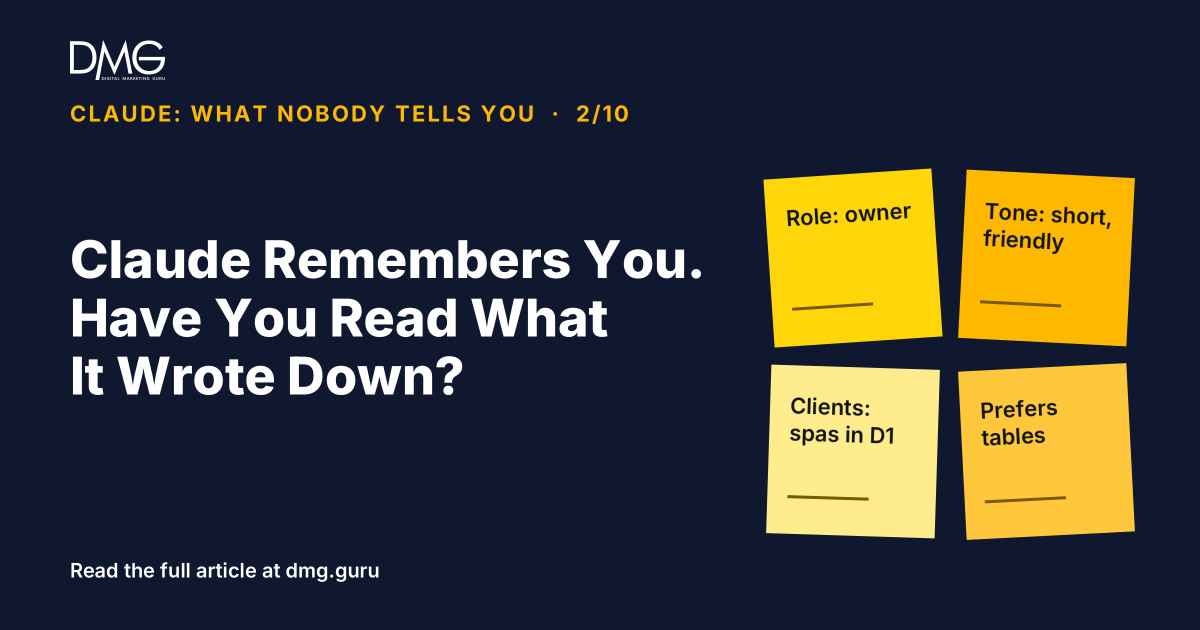
According to Anthropic, Claude saves memory as short topics while you chat, not as a summary afterwards. Typical topics are your role, your projects, people you work with, and how you like things done: shorter answers, tables, a formal tone.
You can also tell it directly: “Remember that our prices include VAT.” It will save that.
Some things are handled differently:
- Sensitive topics such as health, religion and politics are left out unless you switch on “Include sensitive topics in memory”.
- Some data is never saved, including government ID numbers and financial account numbers.
Where to read it
- Open Settings → Your Claude.
- Click Manage next to “Your memory”.
- Open any topic to read, edit or delete it.
You can also do it in a chat: “What do you remember about me?” or “Forget that I work at my old company.”
Why business owners should check it
- Outdated facts produce wrong answers. If Claude still remembers last year’s prices or a product you stopped selling, it will use them.
- Shared logins mix memories. If several staff use one personal account, Claude remembers all of them as “you”. Each person should have their own account; Team plans make this simple.
- Client work can leak into other work. Details from one client’s chats can shape answers for another unless you separate them.
How to keep things separate
- Use a Project per client or business area. Each project has its own memory. Chats in a project use that project’s memory plus your general account memory, but never another project’s. To keep a project fully separate, turn off “Use account memory” on the project page.
- Use incognito for one-off sensitive chats. Click the ghost icon. Incognito chats aren’t saved to memory or chat history. On Team and Enterprise plans, the organisation can still access them through data exports, depending on its retention policy.
- Turn memory off for a single chat from the “+” menu before you send the first message.
- Pause or reset. Pausing keeps your memories but stops Claude using them. Resetting deletes everything, including project memories.
A five-minute monthly habit
Once a month, open your memory and ask three questions: Is this still true? Is this something a client would mind me storing? Is anything missing that I keep repeating? Fix it, and your next month of answers gets better.
Frequently asked questions
Does Claude remember my previous chats?
Yes, if memory is on. It saves short topics about your work and preferences and uses them in later chats. On Free, Pro, Max and Ultra plans it is on by default; Team and Enterprise owners decide for their organisation.
How do I see what Claude remembers about me?
Go to Settings → Your Claude and click Manage next to “Your memory”. You can read, edit or delete each topic, or ask Claude in a chat what it remembers.
How do I stop Claude remembering a conversation?
Use an incognito chat (the ghost icon), or turn memory off for that chat from the “+” menu before sending the first message. You can also pause or reset memory in settings.
Next step: See where your marketing really stands with DMG’s Full Business Audit.
Want help setting up Claude for your team? Talk to DMG.
Claude: What Nobody Tells You, part 2 of 10. Facts checked against Anthropic’s memory help page on 13 November 2026; features may change.
Follow DMG on Google: add dmg.guru as a preferred source
Related articles
 Your Google Reviews Are Your Real Homepage
 What are the best tactics for building rapport with a potential client over the phone?
 AI Will Replace Your Marketing Agency, If All Your Agency Did Was Write Posts
 AI Knows Everything About Marketing, and Nothing About Your Customer in District 7
 How are companies innovating their CRM strategies?
 One Long Chat Makes Claude Work Harder for Less